Five points, one head
You mark the face, the eyes, the nose and the mouth. From those five points the page sculpts a shallow head: an oval face, a skull and hair behind it, a nose ridge, eye sockets, lips and a neck.
Still images, alive
Move your cursor anywhere on the page. She turns her head, her eyes get there first, and every few seconds she blinks. It is one photograph. No video, no plugin, nothing to install.

Marisol is an AI-generated presenter from the Apex Flow AI library, not a real person.
Trail
Sweep across the panel. Slow strokes lay pictures down close together, fast strokes fling them further and larger, and each one drifts the way you were moving before it fades.
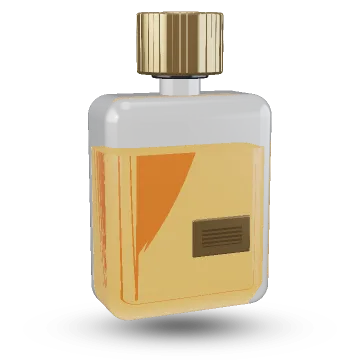
Spin
Grab the bottle and drag. Let go while you are moving and it keeps turning, then slows down on its own. Forty-eight frames of a turntable shoot sit in one image, and neighbouring frames are blended so the turn stays smooth.
No. 7 is a made-up product, rendered for this demo.
Cast mode puts a row of presenters on the page. They all turn toward the visitor, each at their own speed, each blinking to their own rhythm.
Open the cast pageYou mark the face, the eyes, the nose and the mouth. From those five points the page sculpts a shallow head: an oval face, a skull and hair behind it, a nose ridge, eye sockets, lips and a neck.
The photo is laid over a fine mesh and the head part of it is turned in 3D every frame. The light across the cheeks shifts a little as it turns, and the shoulders stay put.
The eyes jump to you almost at once; the head follows a moment later, like people do. The lids blink every few seconds and dip slightly when she looks down.
No. It is one still photo with the background removed and five points marked on it. The page builds a shallow 3D head from those points and turns it on the graphics chip every frame, then slides the irises and closes the lids for blinks.
Nobody. She is an AI-generated presenter from the Apex Flow AI character library, not a photo of a real person. She is licensed for this demo only; buyers use their own photos.
Yes. Drag a finger across the page and she follows it. On phones with a motion sensor you can also switch on tilt, and she follows the way you hold the phone. A smaller image is sent to small screens.
When the device asks for reduced motion, nothing moves on its own: no idle drifting, no blinking, no automatic turning. The portrait only answers the visitor's own pointer, finger or arrow keys.
Yes. Alive is a website template from Apex Flow Digital: the engine source, this page, a cast page and one config file where you set your own photos, landmarks and product frames.